
Why Do People Trust AI So Easily?

You asked your phone’s assistant for directions and followed them without question — even when the route seemed odd. You read a summary generated by an AI tool and shared it with your team without checking the original source. You asked a chatbot for advice and felt genuinely reassured by the answer. Nobody told you to trust it. You just did. That moment — the instinctive, almost automatic surrender of skepticism to a machine — is one of the most fascinating psychological puzzles of our time. And the answer isn’t what most people expect. The Illusion of the Neutral Machine Here’s the first thing we get wrong: we assume that because AI has no emotions, it must be objective. That belief runs deep. Humans distrust other humans constantly — we know people have agendas, biases, bad days, and personal interests. But a machine? It just processes. It doesn’t want anything. It doesn’t benefit from lying to you. This assumption feels logical. It is also incomplete. AI systems are trained on human-generated data, which means they inherit human patterns — including biases, gaps, and blind spots — without advertising them. The machine doesn’t feel prejudiced. It just reflects what it was fed. And because it delivers its output in calm, structured, confident language, we rarely stop to question whether the foundation underneath is solid. Psychologists call this the automation bias: the tendency to over-rely on automated systems, even when our own judgment would have caught an error. Studies in aviation and medicine have shown that professionals sometimes ignore correct information because an automated system suggested something different. The machine wasn’t more reliable — it was just more authoritative-sounding. Why Do People Trust AI? Your Brain Wants a Pattern, Not the Truth To understand why this happens, we need to look at how the human mind works under cognitive load. Your brain operates on two systems — a framework made famous by psychologist Daniel Kahneman. Most of the time, you live in System 1 — not because you’re lazy, but because it’s efficient. You can’t analyze every decision with full attention. AI interactions tend to trigger System 1 heavily. The interface is clean. The response is instant. The language is fluent and confident. There are no hesitations, no nervous fillers, no contradictions. Everything signals: this source is reliable. Your brain pattern-matches that set of cues to “authority” — and System 2 stays off. It’s the same mechanism that makes people trust someone more when they speak in a calm, measured tone — regardless of what they’re actually saying. Delivery shapes perception. And AI has near-perfect delivery, every single time. The Fluency Effect: When Clear Language Becomes a Trust Signal There’s a well-documented cognitive phenomenon called the fluency effect: we tend to judge information as more truthful when it’s easy to read and understand. This was originally studied in printed text — cleaner fonts, for instance, made statements seem more credible. But it applies just as powerfully to language style. AI-generated text is, by design, fluent. It doesn’t stumble. It rarely contradicts itself mid-paragraph. It structures information in ways that feel organized and authoritative. This fluency gets interpreted by your brain as a signal of competence — even when the content itself hasn’t been verified. There’s a quiet irony here: the very thing that makes AI responses feel trustworthy is a characteristic of the technology, not of the information. A confident wrong answer reads exactly like a confident right answer. We Were Trained to Obey Confident Voices This goes further than psychology experiments. It’s evolutionary and cultural. For most of human history, information came from sources that required trust as a precondition: elders, teachers, priests, experts, books. You didn’t fact-check the village elder. You didn’t cross-reference the textbook. The social architecture of knowledge was built on deference to authoritative voices. AI slots directly into that architecture. It speaks with the cadence of a textbook. It responds with the patience of a teacher who has infinite time. It doesn’t get defensive when you push back. All of these are cues that, historically, correlated with genuine expertise — because only someone who truly knew their subject could remain that calm and thorough. The problem is that AI learned how to sound like an expert without always being one. And your brain can’t easily tell the difference. The Emotional Component Nobody Talks About Here’s what gets left out of most conversations about AI trust: it feels good to be answered. Uncertainty is uncomfortable. Ambiguity produces low-level anxiety. When we have a question — about health, about a decision, about something we don’t understand — we are in a state of mild cognitive discomfort. And AI resolves that discomfort instantly. That relief is real. And it creates a subtle emotional bond. When something consistently makes you feel clearer and calmer, you start to associate that source with trustworthiness. It’s the same mechanism that makes people return to certain therapists or certain books — not always because those sources are most accurate, but because they make the uncertainty go away. This is especially relevant in moments of stress or high stakes. Research shows that people under pressure make faster, less critical judgments about information quality. AI is often used precisely in those moments — when we’re overwhelmed, when we need a quick answer, when we don’t have time to dig deeper. What Healthy AI Trust Actually Looks Like None of this means you should stop using AI tools. The goal isn’t suspicion — it’s calibration. A few practical shifts that make a real difference: So, Why Do People Trust AI So Easily? The Real Answer We built systems that speak with perfect confidence, infinite patience, and no visible uncertainty — and then we act surprised when people believe them. But maybe the more interesting question isn’t why do people trust AI so easily. Maybe it’s: what does it reveal about what we actually want from knowledge? We want certainty. We want clarity. We want to feel like
Why Does GPS Get It Wrong?
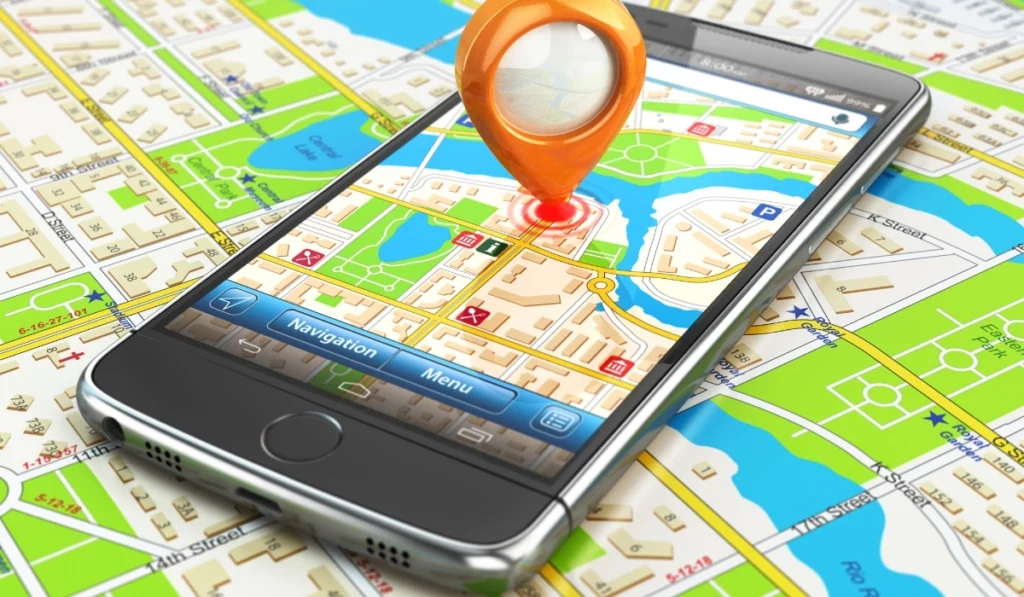
You’re driving down an unfamiliar road. Your phone says “turn left in 200 feet.” You turn. And suddenly you’re in a parking lot — or worse, a dead end — while the little blue dot on your screen calmly pretends everything is fine. It’s one of those quietly frustrating modern experiences. We’ve sent probes to the edge of the solar system, yet somehow our navigation app thinks we’re standing in the middle of a lake. So — why does GPS get it wrong? The answer is more interesting than a simple “it’s a glitch.” GPS errors have real, explainable causes. And understanding them changes how you look at that little satellite icon on your phone. How GPS Actually Works (The Short Version) Before we talk about errors, it helps to understand the basic mechanism — because the flaws come directly from the design. GPS (Global Positioning System) works by triangulation. Dozens of satellites orbit Earth, each constantly broadcasting a signal that contains two things: its exact location, and the precise time the signal was sent. Your phone receives signals from several satellites simultaneously. It then calculates how long each signal took to arrive. Since radio signals travel at the speed of light, a tiny time difference translates into a precise distance. When your device has distances from at least four satellites, it can pinpoint your location in three-dimensional space. That’s elegant engineering. But the keyword here is precise. GPS is extraordinarily sensitive to anything that disrupts those time and distance calculations — and a lot of things can. The Main Reasons Why GPS Gets It Wrong 1. The Atmosphere Slows Everything Down Here’s something easy to forget: satellite signals don’t travel through a vacuum to reach you. They pass through the Earth’s atmosphere — specifically the ionosphere and troposphere — and both layers slow the signal in ways that are difficult to predict perfectly. The ionosphere, a charged layer of the upper atmosphere, is particularly problematic. Its behavior shifts depending on solar activity, time of day, and season. When the sun is especially active, the ionosphere can throw GPS accuracy off by several meters — sometimes more. Engineers model this delay, but modeling isn’t the same as measuring. There’s always a margin of uncertainty baked in. 2. Tall Buildings Create a “Mirror Effect” If you’ve ever noticed your GPS behaving strangely in a big city, you’re not imagining things. This is a well-documented phenomenon called multipath error. When a satellite signal hits a glass skyscraper or a metal surface, it bounces. Your phone can receive both the direct signal and the reflected one — sometimes at nearly the same time. The device struggles to determine which is the “real” one, and the result is a confused, drifting position. Think of it like trying to figure out where someone’s voice is coming from in a room full of mirrors. You hear the sound, but you can’t tell where it originated. Urban canyons — dense city blocks flanked by tall buildings — are the classic culprit. This is why GPS often seems most unreliable exactly when you need it most: navigating through a crowded downtown area. 3. Your Satellite “View” Gets Blocked GPS accuracy depends heavily on a clear line of sight to as many satellites as possible. The more satellites your device can reach, the better it triangulates your position. But that view gets blocked constantly — by: When your device can only “see” one or two satellites, its calculation becomes far less reliable. It works with incomplete data and fills in the gaps — which is when you see that telltale “GPS signal lost” message or a position that jumps around unpredictably. 4. The Map Itself Can Be Wrong Here’s a distinction that surprises many people: GPS positioning errors and map errors are two completely different problems. Your phone’s positioning system might know exactly where you are — to within a few feet — but the map it’s displaying could be outdated or inaccurate. Roads change. New developments are built. Addresses get renumbered. Map data is a living thing that requires constant updating, and no mapping service keeps everything perfectly current everywhere. So when GPS “gets it wrong” and places you a block away from where you actually are, the satellite system itself may be working flawlessly. The error lives in the map data — not in the signal. 5. Satellite Geometry Matters More Than You’d Think Not all satellite configurations are equal. If the satellites your phone can reach are all clustered together in one part of the sky, accuracy drops significantly. This is measured by something called Dilution of Precision (DOP) — a score that reflects how spread out the visible satellites are. This is a background factor you rarely hear about, but it explains why GPS can be precise one moment and vague the next, even in the exact same location. How Modern Devices Try to Compensate Smartphones don’t rely on GPS alone. Modern devices combine several positioning technologies simultaneously: This is called sensor fusion, and it’s remarkably effective. When these systems work together, they keep your blue dot moving accurately — even when pure GPS would fail on its own. It’s the reason your phone doesn’t completely lose orientation in a tunnel. It’s quietly switching between methods behind the scenes. So, Should You Trust GPS? GPS is genuinely impressive technology. In open environments, modern consumer GPS is accurate to within 3–5 meters. For most everyday purposes — navigating to a new restaurant, exploring an unfamiliar city — that’s more than enough. But realistic expectations matter. Dense urban environments, underground spaces, and areas with poor satellite coverage are real weak points. No amount of software sophistication fully eliminates the physics involved. If you ever doubt your GPS, especially somewhere unfamiliar: trust your eyes, look for street signs, and cross-reference with your surroundings. Technology is a tool, not an oracle. This article is intended to explain GPS technology for general understanding. For critical navigation — aviation, maritime,
Why does my phone get hot during normal use?
You pull your phone out of your pocket and notice it feels warm—maybe even uncomfortably hot. You weren’t doing anything unusual, just scrolling, texting, or checking a few apps. It’s a feeling that can catch you off guard, especially if you rely on your device throughout the day. You might wonder if something’s wrong, if it’s safe, or if your phone is on the verge of breaking down. Why does my phone get hot during normal use? This is one of the most common concerns smartphone users have, and it’s completely understandable. Our phones are with us constantly, and any change in how they feel or perform naturally raises questions. The good news is that phones getting warm during regular use is normal in most cases, and there are clear, logical reasons why it happens. Understanding what’s going on inside your device can help you feel more confident about when heat is expected and when it might be worth a closer look. Short answer Your phone gets hot during normal use because its processor and other components generate heat as they work. Activities like streaming video, using GPS, charging, or running multiple apps simultaneously cause the processor to work harder, which increases heat production. In most cases, this warmth is a natural byproduct of your phone functioning as designed. What’s actually happening when your phone gets hot? Your smartphone is essentially a small, powerful computer packed into a slim case. Inside, there’s a processor (often called a CPU), a graphics chip, a battery, and various other components—all working together to run apps, display images, connect to networks, and perform countless tasks every second. When these components do their jobs, they convert electrical energy into the actions you see on screen. But not all of that energy becomes useful work. Some of it turns into heat, just like a laptop, a light bulb, or even your own body generates warmth during activity. The more demanding the task, the more energy is used, and the more heat is produced. Unlike larger computers, smartphones don’t have fans or large vents to cool things down. Instead, they rely on passive cooling—spreading heat across the metal or glass body of the phone and releasing it into the air. This means that when your phone is working hard, you’ll often feel that warmth directly in your hand. Common reasons why your phone gets hot Your phone may feel warm for a variety of everyday reasons. Here are some of the most common: When this is completely normal It’s important to know that occasional warmth is not a sign of damage or danger. Phones are designed to handle a range of temperatures during normal operation. Feeling warmth during or after intensive use—like a long video call, an hour of navigation, or playing a graphics-heavy game—is expected behavior. You might also notice your phone feels warmer during the first few days after a software update, as the system re-indexes files and optimizes performance. This is temporary and usually resolves on its own. Even charging alone can make your phone noticeably warm, and this is by design. Modern batteries are built to manage heat during charging cycles, and manufacturers account for this in their engineering. In short, if your phone cools down once you stop using it or finish charging, and it’s not consistently hot to the touch when idle, you’re likely experiencing normal operation. When phone heat may deserve attention While warmth is normal, there are situations where heat may indicate something worth looking into—not as an emergency, but as a maintenance consideration. If your phone becomes very hot even when you’re not actively using it, this may suggest an app is misbehaving or running excessively in the background. Sometimes a recently installed app, a software bug, or a process stuck in a loop can cause unusual battery drain and heat. If the heat is concentrated in one specific area and feels unusually intense, or if your phone becomes too hot to hold comfortably, it may be worth restarting the device or checking for software issues. Additionally, if your battery drains unusually fast alongside the heat, or if the phone shuts down unexpectedly, these could be signs that the battery itself is aging or that there’s a software problem that needs addressing. In these cases, simple steps like restarting your phone, closing unused apps, or checking for software updates can often resolve the issue. If the problem persists, reaching out to your phone’s manufacturer or a trusted technician can help identify whether there’s a hardware concern. How technology creates heat by design Understanding why your phone gets hot means recognizing that heat is an unavoidable part of how electronics work. Every time your phone’s processor performs a calculation, sends a signal, or powers the display, tiny electrical currents move through circuits. These currents encounter resistance, and that resistance creates heat. This is a fundamental principle of physics—energy transformation always produces some heat as a byproduct. Engineers design smartphones with this in mind, using materials like aluminum and glass that can absorb and dissipate heat efficiently. The layout of internal components is carefully planned to spread warmth evenly and avoid hot spots. Modern phones also include thermal management systems built into the software. If your device gets too hot, it may automatically dim the screen, pause background activity, or temporarily limit performance to cool down. You might notice your phone slowing down slightly during heavy use—this is often a protective feature, not a flaw. The challenge is balancing performance with heat management in an incredibly compact space. As phones become thinner and more powerful, managing heat becomes more complex, but it’s a challenge manufacturers are constantly working to address with better materials, smarter software, and more efficient processors. What can help in everyday life You don’t need to worry excessively about your phone’s temperature, but there are a few simple habits that can help keep things running smoothly: These aren’t strict rules, just small adjustments that can make